Fair Raffle Without Paper Tickets
Written by Raja Jahangir (SEO Specialist, Online Spin Wheel). Last updated: .
Quick Summary
This guide is for raffle and prize draws at fundraisers, PTA nights, and small-business events, not classroom participation games or office icebreakers.
You will see how to run a ticket-number or name draw in the browser, remove duplicate entries, draw several winners without replacement, and share a proof link when someone questions the result.
1. Raffles and prize draws, not classroom spins
PTA volunteers, booster-club parents, and small-shop owners still reach for a fishbowl of ticket stubs because everyone understands the ritual. Paper works until you miscount stubs, lose the bowl, or need to prove the draw was fair on Facebook Live.
Our student-games guide covers K-12 participation wheels. Our team-building guide covers standup rotation and breakout groups. This page is different: numbered raffles, multi-prize nights, and giveaway proof when entrants ask what happened after the stream ends.
Nothing here requires student accounts or uploading entrant lists to our servers. You paste ticket numbers or names on the device running the draw, spin in front of the room, and optional proof links stay encoded in the URL you share afterward.
2. Pick the wheel that matches your entry list
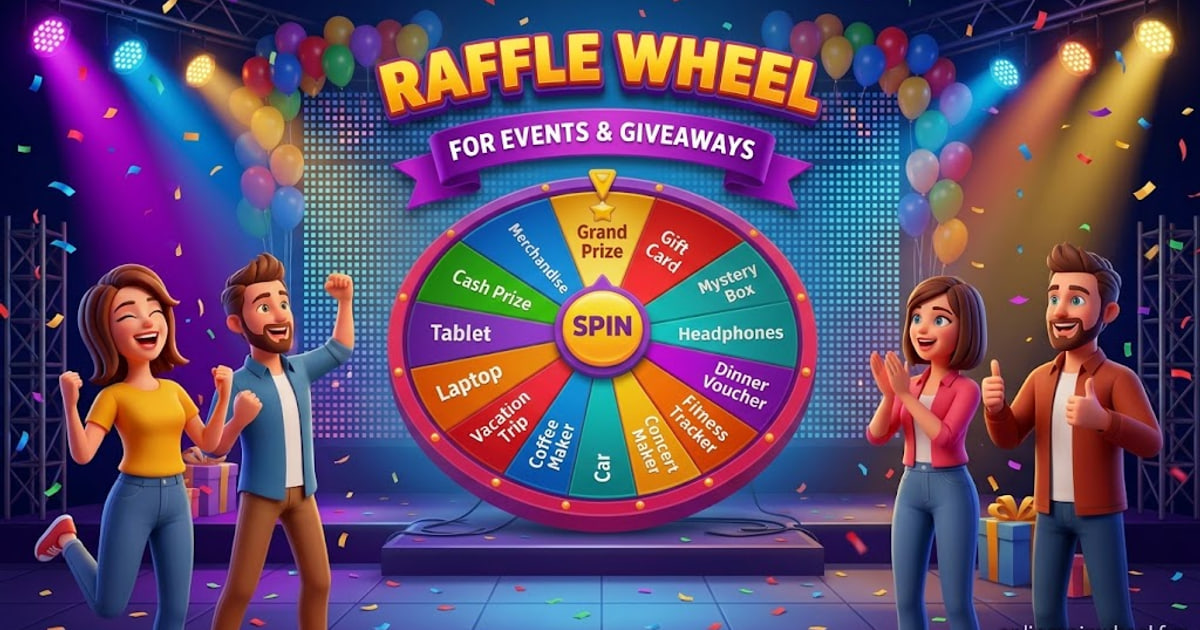
Open the raffle wheel when entries are ticket numbers (#001 through #250), prize labels (Grand Prize, gift card, Try Again), or a mixed school carnival list. Ticket-number mode auto-builds a range or accepts pasted stubs. Prize-label mode covers the classic spinning-slice promo without a separate tool.
Open the winner picker wheel when your list is social handles or plain names and you need duplicate @tags collapsed before the spin. Paste the list, scan the on-screen count of unique entrants, then draw.
Open the random name picker wheel when you only need one winner from a first-name list and do not need ticket formatting or giveaway dedupe. All three use the same spin animation and the same browser randomness; the difference is how entries are typed and cleaned.
3. Ticket-number mode for stub-free raffles
Sell or assign numbers in your existing system (Square, PayPal, paper rolls, whatever your chapter already uses). On draw night, choose ticket-number mode on the raffle wheel, set the range or paste the sold numbers, and confirm the slice count matches the entries you actually sold.
Set how many winners you need before the first spin. When the count is above one, each winning ticket is removed from the wheel so the same stub cannot win twice in one event. That is the without-replacement rule donors expect when you announce first, second, and third place in one ceremony.
Project fullscreen on the gym scoreboard or church hall screen so the pointer landing is visible from the back row. Streamer mode adds a green backdrop if you are compositing the browser tab into OBS; there is no built-in recorder, so use your phone or laptop screen capture for the archive video.
4. Duplicate entries and multi-winner fairness
Comment-giveaway lists often contain the same @handle twice when someone replied in multiple threads. The winner picker normalizes handles and drops duplicates before the wheel renders, so the slice count reflects one entry per person.
For name lists with typos (J.Smith and Smith, Jon), skim the pasted block once; the wheel does not merge fuzzy duplicates automatically. Ticket mode treats #014 and 14 as different labels unless you format them consistently when you paste.
Multi-winner draws use remove-after-pick automatically when you request more than one winner. Spin, announce, remove, spin again. Session order is visible on screen; for a timestamped audit trail, finish all winners and copy the proof link described below.
5. Proof links when someone challenges the draw
After the final winner is drawn on the raffle or winner picker wheel, use the proof action to copy a verification URL. That page lists the winning labels, entry pool size, draw time (UTC), and that the outcome used cryptographic browser randomness.
Post the link beside your livestream replay, in a PTA newsletter, or in the giveaway comment thread. It does not replace written contest rules, but it gives parents and customers a read-only record that matches what they saw on screen.
For a deeper explanation of how the random pick is generated, read how randomness works and our spin wheel fairness study with downloadable CSV data from large automated trials.
6. Pre-draw checklist for organizers
Run through this list before you go live. It fits on one screen and avoids the most common raffle-night mistakes.
Pre-draw checklist
- Announce eligibility rules, entry cutoff time, and how many prizes you will draw.
- Confirm the final entry list: ticket range or pasted names with duplicates removed.
- Open the wheel, paste entries, and read the on-screen entrant count aloud to the room.
- Set winner count, enable remove-after-pick for multi-prize rounds, and test one off-camera spin.
- Draw live on the projector or stream; record the screen with your phone or OBS if you need video.
- Copy the proof link after the last winner and publish names plus the link where entrants expect them.
7. US context: rules vary by state
School raffles, church festivals, and small-business giveaways sit under different state and local rules. Some states treat certain draws as sweepstakes, others as charitable gaming, and licensing can depend on prize value and whether tickets were sold.
Treat this page as operational guidance for running the draw fairly in the room, not as legal advice. Before you sell tickets or advertise a public giveaway, check your state attorney general or secretary of state consumer pages, your district policy, and counsel if stakes are high.
When you do publish rules, include who can enter, the entry deadline, how winners are contacted, and that no purchase is required if your promotion is meant to be a sweepstakes. The wheel only randomizes among the labels you paste; it does not write compliance copy for you.
8. After the event
Archive the proof link with your treasurer records if your bylaws require a paper trail. Screenshot the final wheel if your board prefers images over URLs.
For your next event, reuse the same bookmark: ticket mode for numbered school carnivals, winner picker for social lists, prize-label mode for slice-based promos. Paste a fresh list each time; specialty wheels keep entries in the current browser tab and do not upload them to our servers.
9. Frequently Asked Questions
Yes. Assign numbers in your sales system, paste the sold numbers into ticket-number mode on the raffle wheel, and spin on a projector. You still need your own record of who bought which number.
Set the winner count above one on the raffle or winner picker wheel. Each winning entry is removed before the next spin so one ticket or name cannot take two prizes in the same round.
After the last winner, copy the proof URL. It shows winners, pool size, timestamp, and randomness method so entrants can verify the outcome without trusting a screenshot alone.
No. Lists stay in your browser for the current session on specialty wheels. Copy your roster elsewhere if you need it across devices or after closing the tab.
There is no in-app recorder. Use your phone camera or OBS. Streamer mode on the wheel adds a green background for compositing if you stream to parents or followers.
We cannot give legal advice. Rules for raffles and sweepstakes vary by US state and locality. Confirm requirements with your district and applicable state guidance before selling entries or advertising prizes.
Try These Wheels
Put what you just read into practice with these free tools:
- Raffle Wheel
Run prize-wheel style giveaways or ticket raffles: labeled prizes, ticket numbers, multi-winner draws, and a shareable proof link for streams and school events.
- Winner Picker Wheel
Paste commenter @handles, remove duplicate entries, spin live, and screen-record proof for Instagram or TikTok giveaway winners.
- Random Name Picker Wheel
Paste names, spin a fair Wheel of Names, remove winners after each pick, add optional weights, and keep session history for class or stream giveaways.
- Team Generator Wheel
Split PE classes, office workshops, or gaming lobbies into balanced teams from one name list, spin for a quick pick or generate squads.
- Classroom Spinner
Teacher hub with three tabs: student spinner, team maker, and countdown timer, plus fullscreen mode for smartboards.